

Search
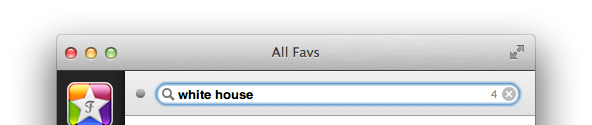
Search almost works like you know from Google's web search i.e. you
can enter words separated by blanks and they will be searched for
with AND concatenation. For example, searching for [white house] (the [] braces in this documentation stand for the input field)
will find all entries that contain both the words house and white.
The search is case and diacritic insensitive, that means you could
also have written [wHITE Höüse].
If you have some phrase you are looking for you may want to encapsulate
it in quotes like ["white house"], which will find entries that contain
the word white directly followed by house.
To exclude expressions you don't like to have included put a minus
ahead like [house -white], which finds only entries that countain house but not white.
If you are just looking for info in certain fields you can prepend
an indicator, like [a:obama] which will find all entries that have been
authored by obama. Please not that you may not use whitespaces between
the indicator and the word!
So currently supported are (the underlined portions are the minimal required chars):
authorfor authortitlefor titletagfor tag
If you add an * to your search string it will be handled as a wildcard, that means if you want to search only for entries that start with white you can write white*. This is espacially useful if you are searching for tags.
An alternative way to search for tags is to use # as the prefix e.g. [#food].
A note about tags
Tags in the understanding of Favs are case insensitive and do not allow white space. To make white spaced labels work they will become converted to use a dash '-' instead. So for example if a document uses the tag White House you would use [#white-house] to search for it.
Magic Flags
The following flags kan be set to filter the results even more:
/allfor all entries/archivedor/deletedfor archived entries/unreador/newfor unread entries
Technical Details
- The following fields are searched by default: title, description, author, website URL and tags
Help
Features
Services
- app.net / ADN
- Delicious
- Dribbble
- Feedbin
- Flattr
- Flickr
- GitHub
- Google Reader
- Instapaper
- Pinboard
- Readability
- Pocket / Read It Later
- Stack Overflow
- Vimeo
- YouTube
- Zootool

